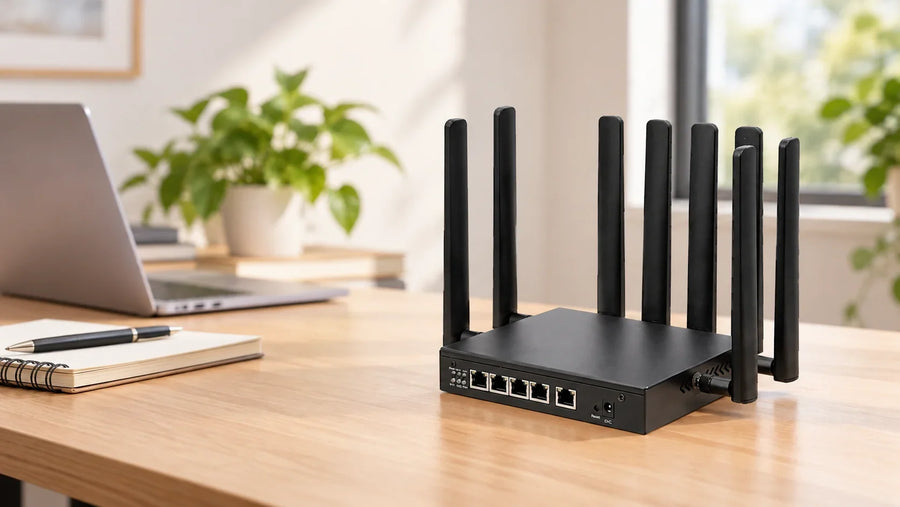
Before you power an OpenWrt router board, confirm the exact board revision, input supply and polarity, connector pinout, fitted parts and supplied firmware. Then evaluate it with the cables, peripherals and application your product will actually use. A matching chipset or a successful first boot is only part of the evidence you need.
The sample arrives, and the networking part of your project starts to feel real. Now the Ethernet leads need somewhere to go, the power connector has to match your wiring, and the serial device has to communicate with the software you intend to ship. These are the details that turn a promising specification into a usable design.
This guide is for the point between choosing an embedded router board and approving it for your product. It walks through the information to collect and the checks to agree before testing. If you are still comparing models, start with our embedded router board comparison, then bring your shortlist back here.
1. Put a precise identity on the sample
Start a sample record before changing anything. Photograph both sides of the PCB and its labels, record the hardware revision, and match it to the quotation. Keep the supplied firmware version and configuration with that record. If the next sample differs, you will have something concrete to compare.
Ask for a bill of materials (BOM) or supplied-parts list that answers these questions:
- Board: Which model, PCB revision, memory and storage configuration will arrive?
- Cellular: Is a modem fitted? Which exact model and firmware? Are antennas, pigtails and mounting parts included?
- Connections: Which mating connectors, cable assemblies and power leads are supplied?
- Software: Which image is installed, what functions are configured, and how is that build identified?
- Documents: Which pinout, mechanical drawing and recovery instructions apply to this revision?
For example, SHF388 and SHF386 document a Mini PCIe interface for a 4G module and a Nano SIM slot. That establishes an integration option; it does not establish that your sample includes a modem. Resolve the supplied configuration before planning cellular tests or comparing quotations.
2. Check the space and the complete cable path
Two boards with five Ethernet connections can create very different assembly jobs. SHF388 documents its four Gigabit LAN connections and one Gigabit WAN connection on 8-pin, 1.25 mm pitch headers. The SHF386 product photograph shows five RJ45 sockets. The first needs a defined mating harness; the second needs room for Ethernet plugs and cable access.
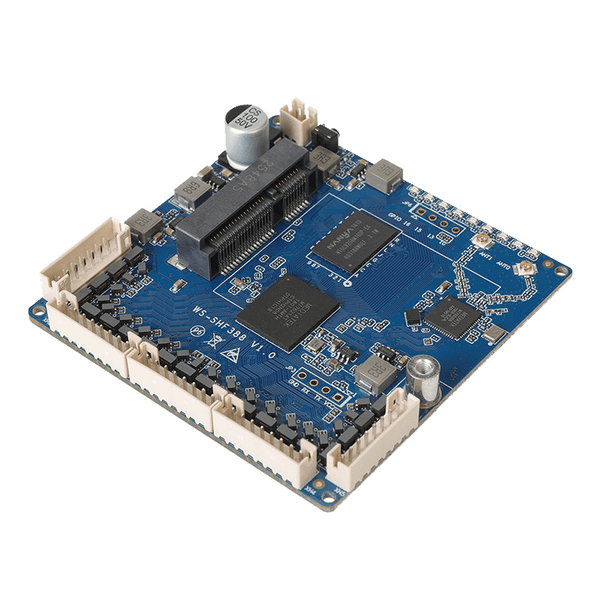
SHF388: compact Ethernet headers.
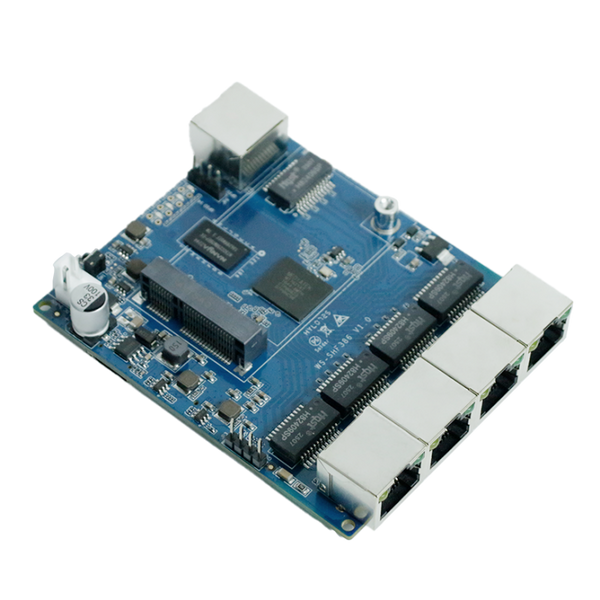
SHF386: RJ45 cable connections.
A useful harness drawing identifies the connector and mating part, pin numbering and orientation, each signal, cable length, and the destination at the other end. An eight-pin header is not proof of an RJ45 pin assignment. Keep power and Ethernet connector drawings separate.
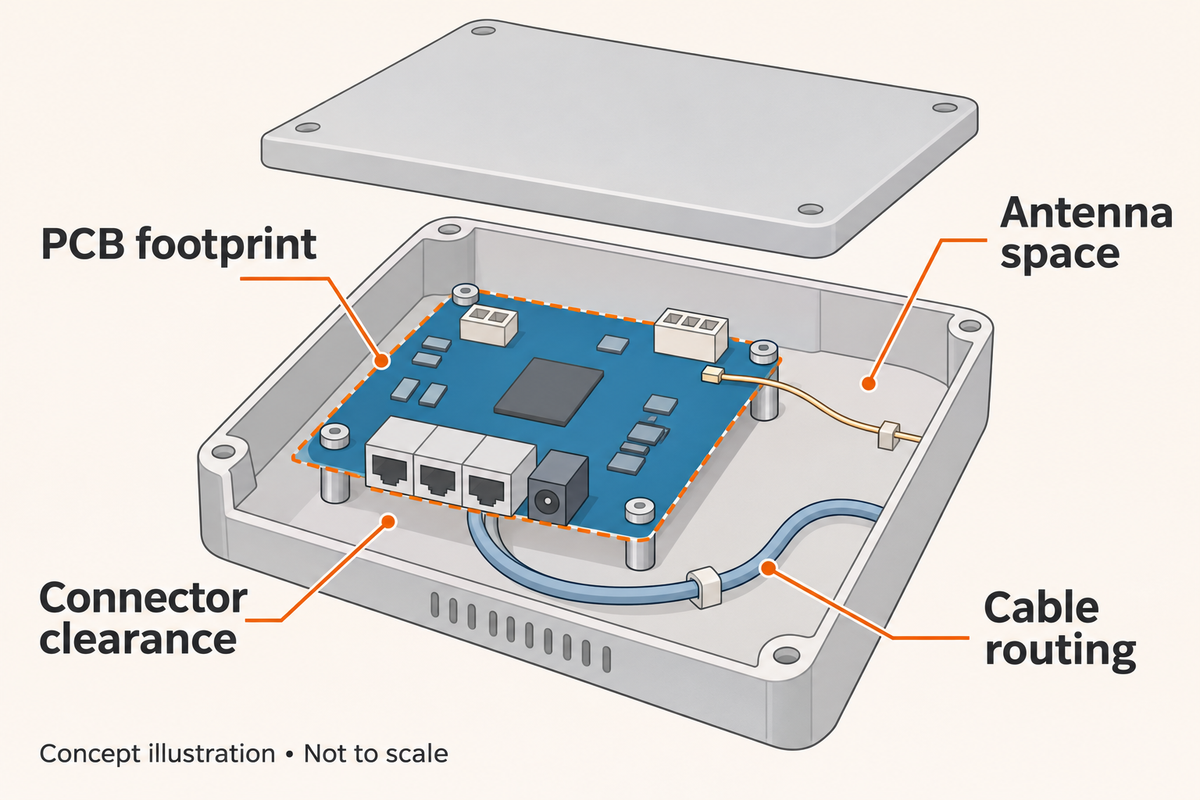
The same care applies to size. SHF280 is documented at 38 × 38 mm; SHF281 at 58 × 58 mm. Neither number describes the finished installation. Check mounting holes, component height, connector clearance, cable bends, antenna leads and any modem against the enclosure drawing. Confirm these details using the model datasheets and revision-specific mechanical information.

3. Settle the power specification before connecting it
Do not choose a supply from the connector shape. Request the permitted input range, polarity, pinout, current requirement and recommended power-up procedure for the complete sample. Include any fitted modem and peripherals in that request.
For a cellular design, ask about the supply during startup and transmission as well as at idle. The modem's own hardware design guide is part of that check: for example, Quectel's EG915N guide discusses supply stability during transmission. Its module-level ratings are not the input ratings of an SHF board, and it is not a statement that this modem is fitted to your sample.
SHF281 illustrates why this matters. Its specification lists 5–36 V DC, while a product-photo marking shows 5–60 V. That discrepancy needs written confirmation against the board you receive. It is not a reason to try the wider range. SHF280 instead documents 5–24 V through a 4-pin, 1.25 mm connector; SHF281 lists a 2-pin, 2.54 mm connector. They should not be treated as interchangeable power connections.
Before first power-on, use this short handoff checklist:
- Match the sample revision to the confirmed power specification.
- Have the supply, lead and polarity checked against the approved drawing.
- Confirm available current for startup and the intended peripherals, not just an idle board.
- Plan how to observe input voltage, current and boot behavior using the supplier's recommended setup.
Have the engineer responsible for the integration follow the agreed bring-up procedure. A wide DC input range does not establish automotive transient tolerance, an industrial certification or PoE support. Ask for evidence covering the actual environment if those are project requirements.
4. Treat “serial” as a question, not a pinout
SHF283 and SHF285 explicitly document RS232 on a 4-pin, 2.54 mm connector. SHF280 and SHF281 describe serial debugging and GPIO. Those descriptions do not give you the same electrical interface or establish the debug connection's voltage.
Texas Instruments explains that RS232 signaling uses defined positive and negative voltage levels. Do not connect an RS232 device to an unidentified debug header. Get the electrical specification, pinout and suitable interface hardware confirmed first.

Also separate electrical compatibility from the job you need the port to perform. A debug console does not establish application data forwarding. For your serial peripheral, agree on the required firmware function, baud rate, framing, flow control and wiring, then test the actual exchange of data in both directions.
5. Keep the firmware and recovery path with the hardware
An OpenWrt-based manufacturer image, a public SDK and support in an upstream OpenWrt release are different things. A shared processor does not make firmware interchangeable: board targets, flash layouts, Ethernet mapping and peripherals can differ.
Use the OpenWrt Table of Hardware and the relevant device documentation to check upstream support for the exact device and version. For HUASIFEI software, start with firmware downloads and SDK and source references. Ask for the matching package if your revision is not clearly covered.
Record the image filename, checksum, build version, storage type, required packages and recovery method. Keep the supplied configuration and known-good image before making changes. OpenWrt's sysupgrade documentation distinguishes an upgrade from first installation and explains that files and installed packages are not all preserved automatically. A configuration backup is not a complete recovery plan, and restoring it across different builds may require review.
6. Agree on what a successful sample must demonstrate
Turn “the board works” into a small set of observable requirements. Define the conditions and pass criteria before testing, using your device's needs. The table below is a planning template, not a report of tests already completed.

| Check | Conditions to agree | Evidence to record |
|---|---|---|
| Power and startup | Approved supply, cable, populated modem and peripherals; agreed startup sequence. | Input measurements, boot log, unexpected resets and the complete test setup. |
| Ethernet | Intended harness or plugs, WAN/LAN configuration, peer devices and traffic direction. | Port mapping, negotiated links, traffic results and errors. |
| Serial application | Confirmed electrical interface, actual peripheral, protocol settings and expected messages. | Sent and received data, errors and application behavior. |
| Cellular, if fitted | Exact modem, antennas, SIM plan, carrier, location and firmware configuration. | Registration, connection logs and recovery after an agreed interruption. |
| Enclosed operation | Intended enclosure, mounting, ambient conditions, workload and agreed test duration. | Measured temperatures, stability observations and any installation changes. |
| Update and recovery | Approved image and documented procedure, evaluated on a designated sample. | Image checksum, configuration handling and demonstrated recovery steps. |
Give each result a date, sample identifier, firmware version and pass/fail decision against the agreed criterion. Keep logs and photographs with it. When something changes, identify which checks need repeating. This makes the approved sample useful to both engineering and purchasing when they confirm the next batch.
Questions before the next order
Can we start testing on an open bench?
Yes, as an initial stage using the confirmed setup. Follow with evaluation in the intended enclosure: mounting, cable routing and airflow can change the installation. Keep the two sets of conditions in the record.
What if a later batch uses different parts?
Agree which substitutions or revision changes require notification and approval. Record the accepted board, modem and firmware combination, then decide which tests a proposed change affects before accepting it.
What should we send to get a useful recommendation?
Send the device's purpose, enclosure drawing, connection list, available supply and firmware requirements. Add country and carrier for cellular use, plus evaluation quantity and the acceptance checks that matter. You can discuss your board integration with HUASIFEI or review the OEM and ODM process. Business inquiries are open; online retail ordering is coming later.
Sources and model references
- HUASIFEI specifications: SHF388 and SHF386; SHF283 and SHF285; SHF280 and SHF281.
- Texas Instruments: RS-232 Frequently Asked Questions, especially the signaling-level explanation; TRS3122E datasheet, sections 8.3.2–8.3.3, for the generic driver and receiver functions shown in the serial-interface diagram.
- OpenWrt: Table of Hardware and Upgrading OpenWrt firmware using LuCI and CLI.
References checked on November 4, 2026. Model specifications describe documented hardware; they do not replace confirmation of your supplied revision. The evaluation steps above are proposed checks, not measured HUASIFEI test results.
The SHF388 and SHF386 comparison uses actual HUASIFEI product photographs. The three labelled concept illustrations were generated with AI to explain the text; product specifications and technical claims are supported by the linked documents, not by generated imagery.