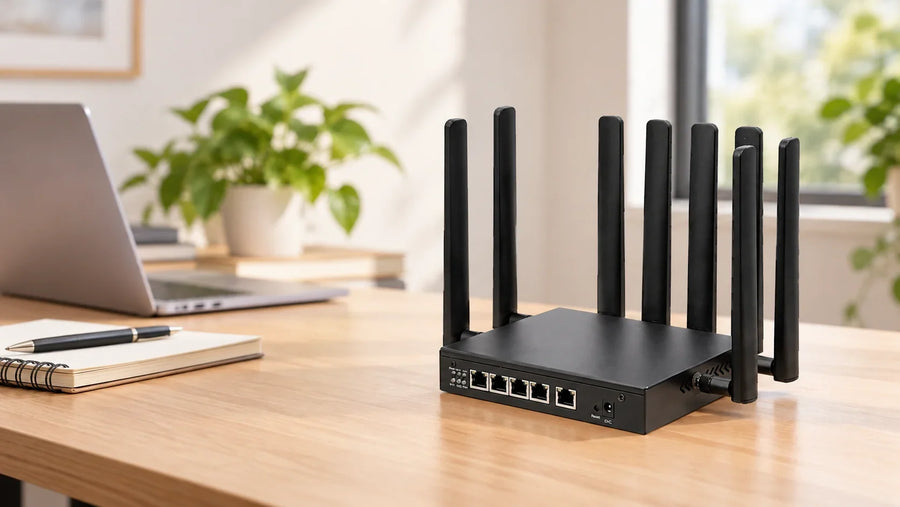
The WH3000 PRO is worth considering when you want cellular connectivity, wired connections and room to adapt the software in one compact router. This review looks at a creator’s modified build and what it can teach mobile workers, OpenWrt enthusiasts and teams planning a custom device.
In his 47-minute walkthrough, Bogdan opens up a WH3000 PRO, explains its modified hardware and works through two software setups. We look at what he tested, how it relates to your needs and what to check before choosing a configuration.
Source and credit: Cover image, video and testing by Богдан Соловьёв / Давайте про IT. The original video was published on November 2, 2026. This English article is HUASIFEI’s interpretation of his review, shared with the creator’s permission. The measurements below are his reported results; HUASIFEI has not independently repeated them.
Who is the WH3000 PRO for?
Mobile workers and small temporary workspaces
You have a wired device to connect, but no fixed broadband at the workspace. With a compatible cellular modem, antennas and SIM plan, the WH3000 PRO can connect Ethernet devices and Wi-Fi clients in one compact setup. Confirm the modem for your country and carrier, prepare suitable external power, and check upload performance if your work involves video calls or large files.
OpenWrt enthusiasts and network software developers
You want control over routing, DNS and the software running on your network. Bogdan’s walkthrough shows how much can be explored, along with the adjustments needed to make his configuration work. Confirm the firmware and packages for your hardware and storage version; HUASIFEI can discuss software adaptation and development resources with you.
Integrators and teams developing a custom connected device
You are evaluating a compact networking platform for a prototype with your own antenna, enclosure or software requirements. The video’s modified unit offers a concrete example. Bring your modem choice, installation constraints and software goals to HUASIFEI so we can discuss hardware and software support, a suitable sample configuration and the evaluation your project needs.
Still choosing the hardware? Compare the available WH3000 PRO configurations, then use the review below to decide which questions to bring to our team.
Watch the original WH3000 PRO review
Watch the full 47:50 video on YouTube · Visit the creator’s channel
The original presentation is in Russian. Useful starting points include the hardware overview at 7:50, the LTE test at 15:54 and the firmware chapter at 30:12.
Start with the router he actually tested
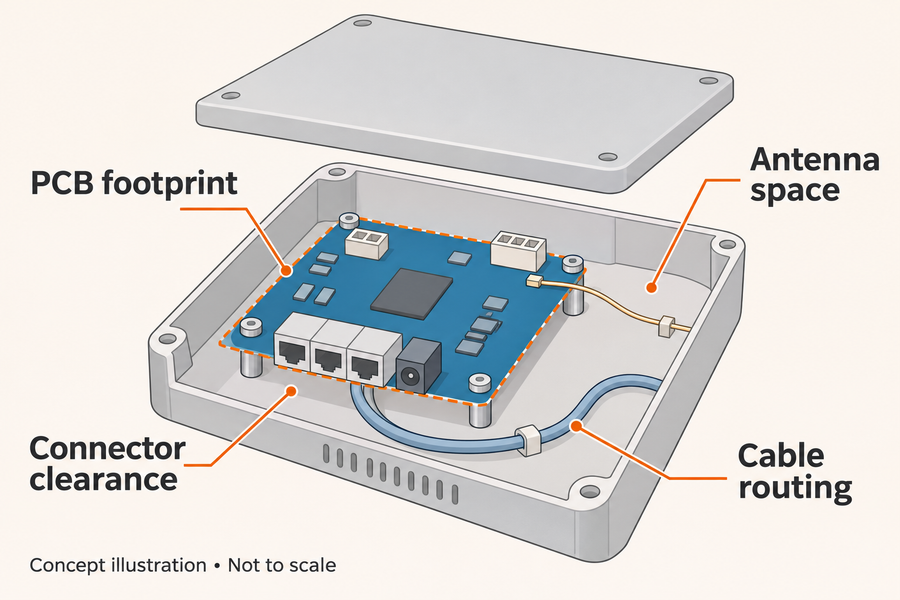
There is an important detail near the beginning: Bogdan bought his unit already assembled in a modified configuration. It has a Foxconn T99W175 modem, added cooling and four external SMA antenna connectors fitted through the enclosure. He shows how the antenna cables lead back to the modem inside. These additions are part of this particular build.
| In the review | Before choosing your configuration |
|---|---|
| Foxconn T99W175 cellular modem | Confirm the fitted modem, regional bands, carrier requirements and firmware support. |
| Four added SMA antenna connectors | Agree on the antenna arrangement, cables and enclosure work your project needs. |
| 8GB eMMC storage | Check whether your unit uses eMMC or NAND, then match the firmware image to it. |
| A modified unit purchased preassembled | Check the supplied-parts list. The current No Modem option does not include a cellular module. |
The distinction matters when shopping for a portable 5G router. A SIM slot and a modem interface tell you what the platform can accommodate; your selected configuration determines what arrives. Bogdan’s sample is a helpful example of an enthusiast build, while the current WH3000 PRO product page is the place to check today’s options.
See his explanation of the preassembled modification at 3:27, and the modem identification at 11:46.
A small platform with room to experiment
One of the appealing parts of this setup is where the modem lives. Installing it internally leaves the USB 3.0 port available. Bogdan discusses using that port for storage and other supported peripherals—an interesting starting point if you want a compact router to do more than share a connection.

The hardware also brings together a 2.5GbE LAN port, a Gigabit WAN port, Wi-Fi 6 and USB-C power. Those connections give you options for a wired workstation, a small local network or a portable setup with an appropriate external supply. As the reviewer points out, a power bank needs to meet the router’s power requirements. A USB-C connector alone does not establish that it will work.
Current HUASIFEI specifications list USB-C PD input at 5V, 9V or 12V. Confirm the supply and cable for your chosen router-and-modem configuration. The WH3000 PRO uses external power and has no built-in battery.
What the LTE tests tell us
The first mobile connection is disappointing. Bogdan then explains that the modem’s antennas have not yet been connected. After fitting the LTE antennas, he reports approximately 40Mbps download in his location. It is a useful moment in the video: antenna setup is part of the connection, and a modem specification on its own cannot describe the result at a particular site.
Later, after changing the software setup and correcting its DNS routing, he reports around 43–44Mbps download and 5–6Mbps upload with his tunnel enabled. He attributes the limited upload rate to the method he is using to reach the internet under local network restrictions. The video does not independently isolate every possible bottleneck.
| Test | Reported result | Context |
|---|---|---|
| LTE after connecting antennas, around 16:36–17:04 | About 40Mbps download | Modified Foxconn modem setup, in a location with mobile-network access restrictions. |
| Later software setup, around 45:57–46:23 | About 43–44Mbps download; 5–6Mbps upload | Router-side tunnel enabled after configuration and DNS troubleshooting. |
These are useful field observations, not a controlled comparison of the two firmware builds or a test of maximum 5G speed. The video’s LTE results should also be kept separate from the router’s Wi-Fi link rates and Ethernet port ratings. At one point, Bogdan notes that his wired links are negotiating at 100Mbps; this review does not benchmark the 2.5GbE port’s full throughput.
If your application sends large amounts of data upstream—such as uploading video—pay close attention to upload performance at the intended site. The reviewer makes the same practical point in his closing discussion at 46:36.
OpenWrt flexibility in practice
Bogdan starts with QWRT, the OpenWrt-based firmware on his sample. His routing setup initially runs into an older Xray component and a configuration problem. He updates the component, adjusts the routing and demonstrates successful access. Later, he installs another OpenWrt-based image and works through a DNS setting before his next test.
The troubleshooting is useful to see: software flexibility depends on the installed packages, their versions and the network around them.
The video also highlights the difference between eMMC and NAND models. Bogdan recounts using UART to recover from an incorrect firmware choice during preparation. Before changing firmware, identify the exact hardware and storage version, obtain the matching image and have a recovery procedure available. A shared model family or processor does not make every image interchangeable. Check the official firmware resources and ask for help identifying the correct image if needed.
His demonstration uses a particular build and third-party packages. It does not establish support for every future OpenWrt release or promise that the same network-access configuration will keep working everywhere. At 28:49, he explicitly explains that viewers should expect to spend time understanding their own setup.
Turn the review into a plan for your own project
If you are choosing your first unit, the most useful next step is to agree on the modem, power supply and software for your intended use. Already have a WH3000 PRO? Record its hardware revision and storage type, and tell our technical team what you want to change.
A few practical details will help us give you a more relevant recommendation:
- Where will it connect? Share the country, carrier and installation conditions so the modem and antenna choices can be discussed.
- What will it connect to? Identify the wired devices, USB peripherals and local network requirements.
- What should the software do? Describe the routing, packages or application you want to run, together with any firmware you already use.
- How will you judge success? Include upload needs, power arrangements and the conditions for a sample test.
Bring your hardware and software ideas to HUASIFEI
Open source is part of how HUASIFEI approaches its products. We welcome developers, enthusiasts and integration teams who want to explore new uses, modify hardware or adapt software around their own ideas.
We offer hardware and software support. Share the configuration you have or are considering and the changes you want to make, so we can discuss suitable parts, software adaptation and customization.
For development resources, see the MT7981B SDK information and request technical help with your hardware revision, storage configuration and project goals. We will help clarify which resources are available for that build.
Planning a WH3000 PRO setup? Check the available configurations, or tell us what you need to connect. Include your country and carrier, intended use, power source and whether you need a cellular modem supplied.
Already have a unit? Request hardware or software help, or email support@huasifei.com.
Business and development inquiries are open. Online retail ordering is coming later.
And if this build gives you an idea of your own, take the time to watch the creator’s full walkthrough. Visit Давайте про IT on YouTube for his explanation, troubleshooting and follow-up work.
Sources and reading note: This article is based on the original November 2, 2026 video by Богдан Соловьёв / Давайте про IT and HUASIFEI’s current WH3000 PRO product information. Configuration and result statements from the review refer to the creator’s sample and test environment.